Lube Clipboards icon

Lube Clipboards

Private beta on macOS

Everything you copy,one keystroke away.

A clipboard manager for macOS that keeps every clip, finds anything in a keystroke, and pastes it exactly the way you need. Plus a full markup studio for every screenshot, so it leaves your Mac looking right.

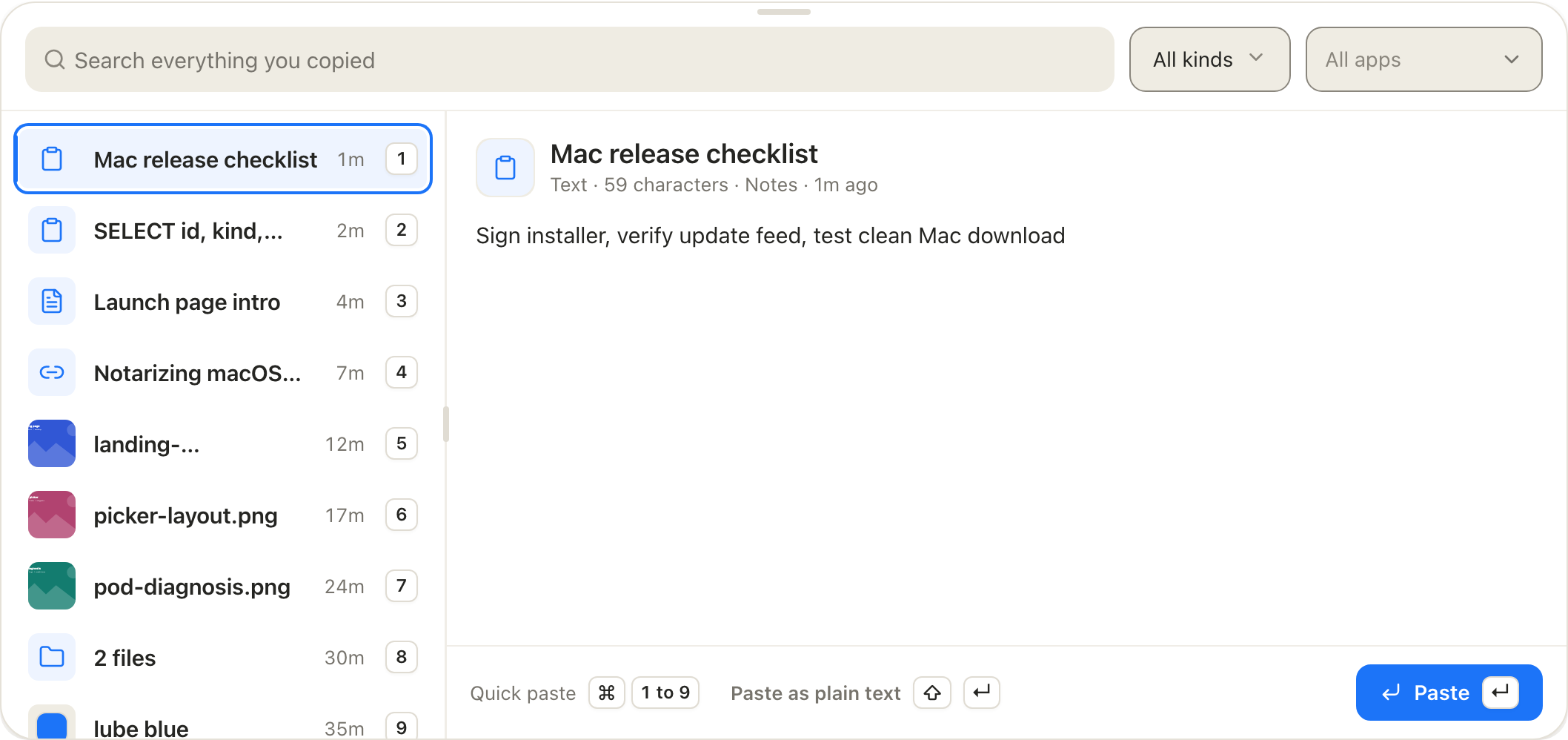
Lube Clipboards quick picker in light mode
Press ⌘⇧V anywhere. Find a clip, preview it, paste it. ⌘1–9 pastes instantly, and one key pastes as plain text.

A clipboard that remembers, finds and pastes

Lube Clipboards quietly keeps everything you copy, then gets it back to you in the shape you need. It’s built for the keyboard, and your clips stay on your Mac.

Keeps every kind of clip

  • Text, rich text, links, images, files, colours and code
  • Notes which app each clip came from, and skips duplicates
  • Keep history for 30 days, 90 days, a year or forever, and pinned clips never expire
  • Export your history whenever you like
Finds anything

  • Search text, titles, links, file paths, colour codes and the text inside screenshots, read on your Mac
  • Filter by app, website, kind or date
  • Fully keyboard-driven: ⌘F or / to search, arrow keys to move, Return to paste

Pastes it the way you need

  • ⌘⇧V anywhere, then ⌘1–9 or Return to paste straight into the app you’re in
  • Paste as… plain text, trimmed, UPPER, lower or Title case, tidy JSON, or a link with the tracking stripped
  • Images smaller, as JPEG or PNG, or as a file
  • Paste stacks: paste several clips at once, joined or one after another
  • Per-app rules for how things paste in each app

Made for code

  • Detects code in 46 languages and highlights it
  • Beautify with Prettier, sql, shfmt, ruff, gofmt and clang-format
  • Code keeps its colours when you paste it into docs and slides
  • Snippets with tags, collections and placeholders like {date}, {clipboard} and {cursor}

Links that look like something

  • Links are grouped by site, with the page title and where you copied them
  • Rich cards for YouTube, Vimeo, Loom, Spotify, X and GitHub, with players right in the app
  • Pin what matters and group clips on colour-coded pinboards

Private by default

  • Password managers are never recorded
  • Exclude any app, or pause capture with a click
  • Stats on your copying habits, worked out on your Mac
  • Opt-in AI access over MCP, with a log of everything an AI tool did

Organised without you lifting a finger

Clipboards keeps your history tidy on its own, so you can find things later without having filed them.

Find the screenshot you need

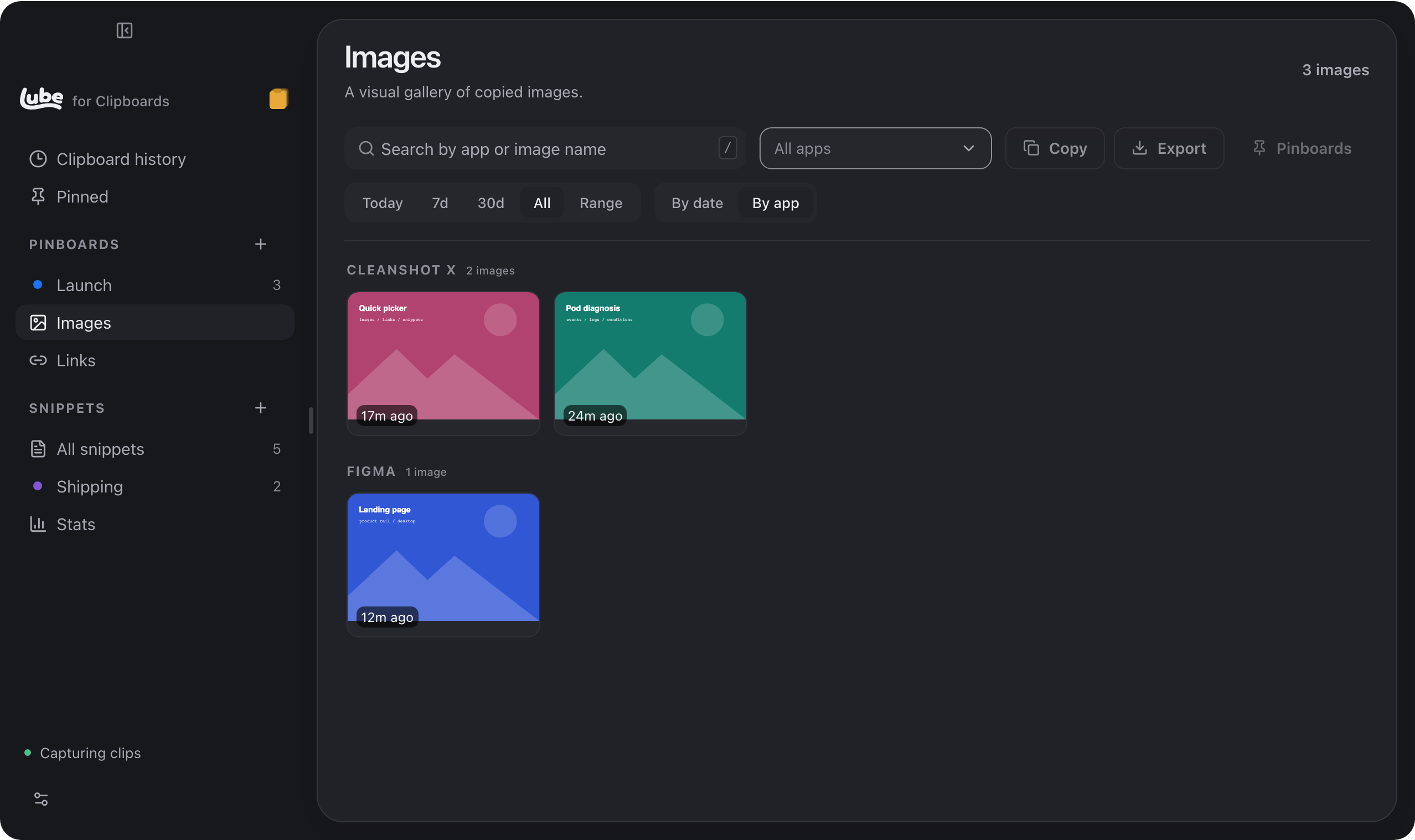
Every copied image goes into a gallery. Group by app or date, filter to today or the last week, then copy or export in bulk. Search for text inside screenshots, recognised on-device.

Images gallery grouped by the app they were copied from

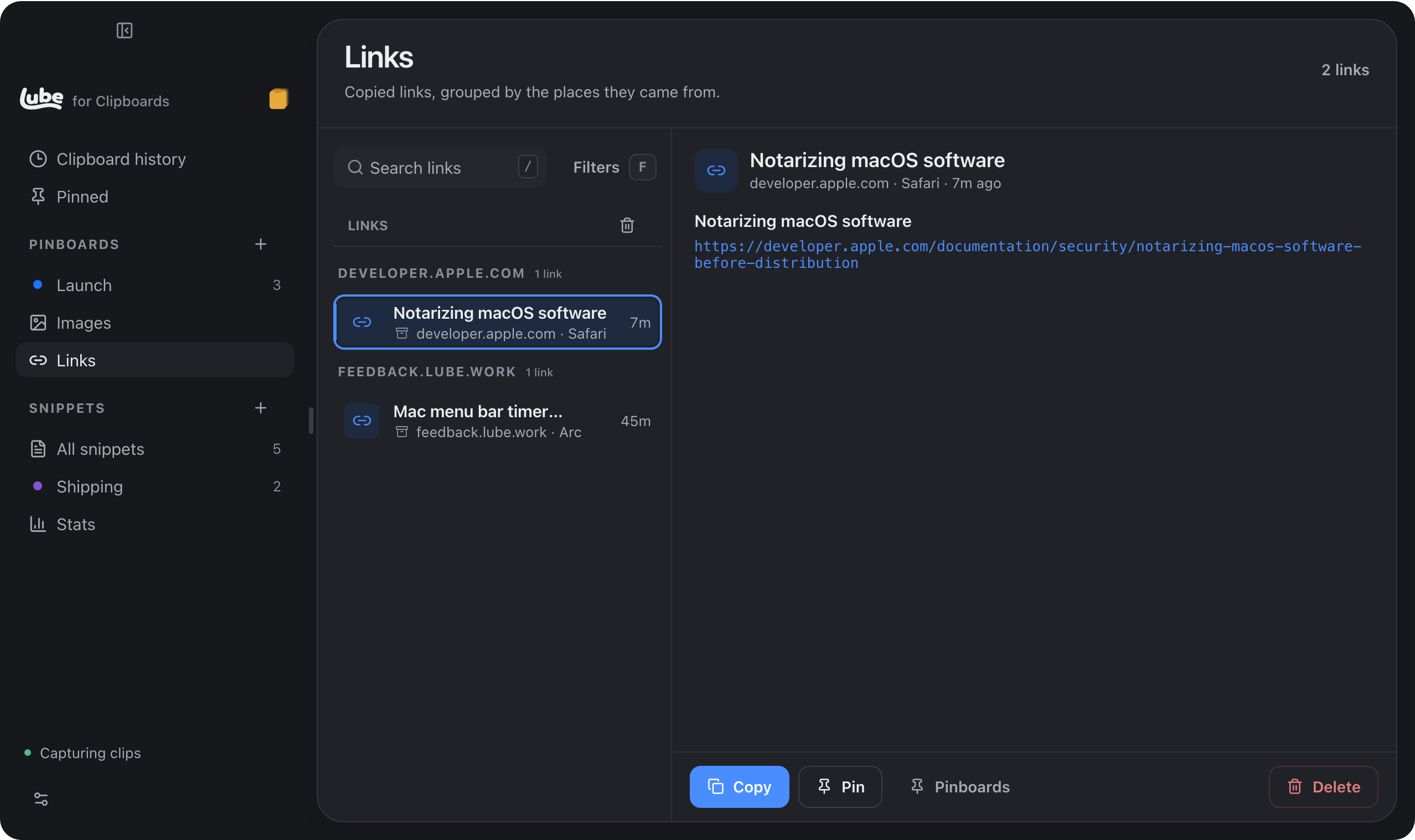
Find that link you copied

Copied links are grouped by site, with the page title and the app you copied from, so you can find that doc you had open last Tuesday.

Links view grouped by website

Snippets for the things you type every day

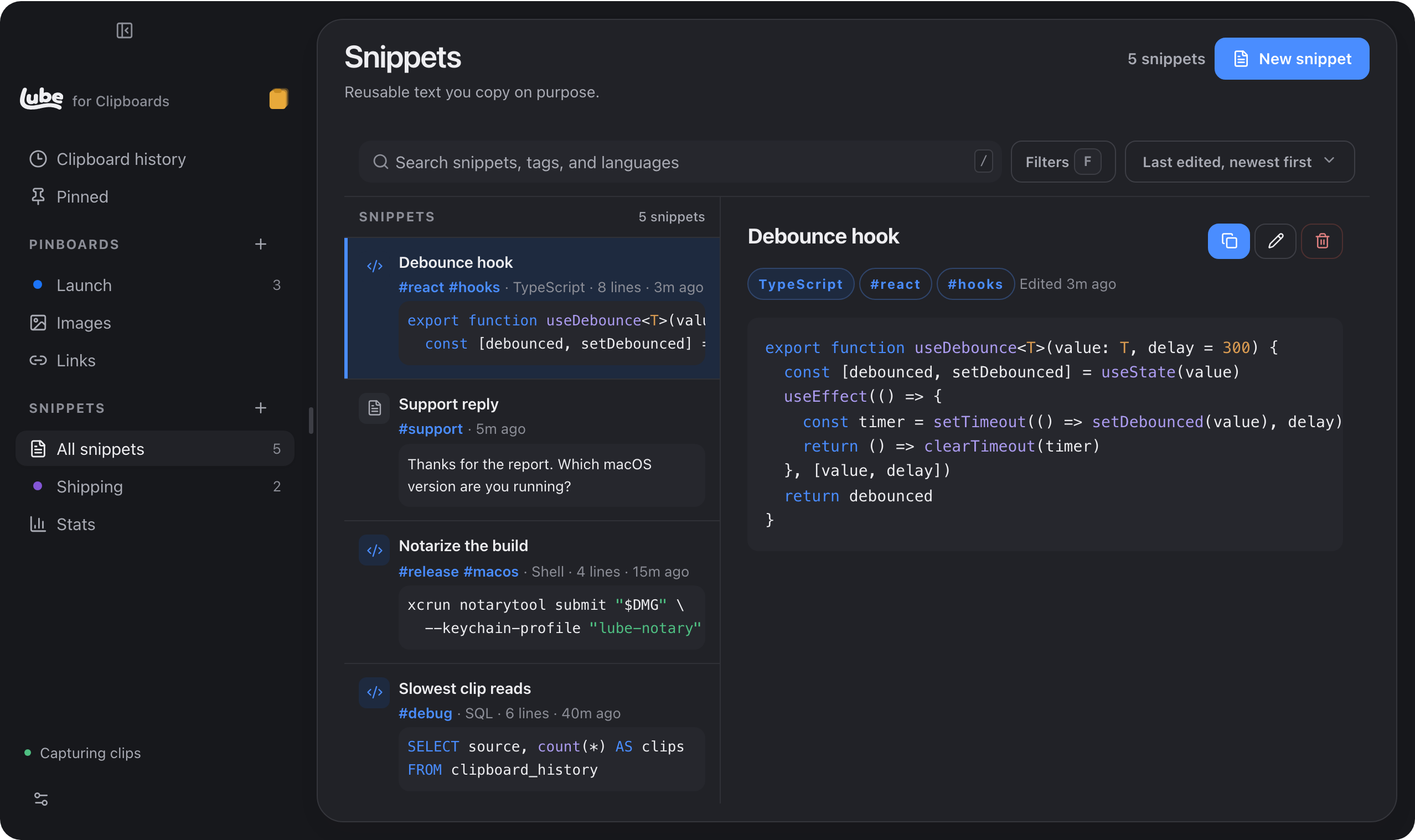
Save text and code to use again. Set a language for each snippet, with syntax highlighting, tags and collections.

Snippets with syntax highlighting and tags

A markup studio for every screenshot

Capture or copy a screenshot, press Mark up, and explain it properly. Every tool has a single-key shortcut, and everything stays editable until you save.

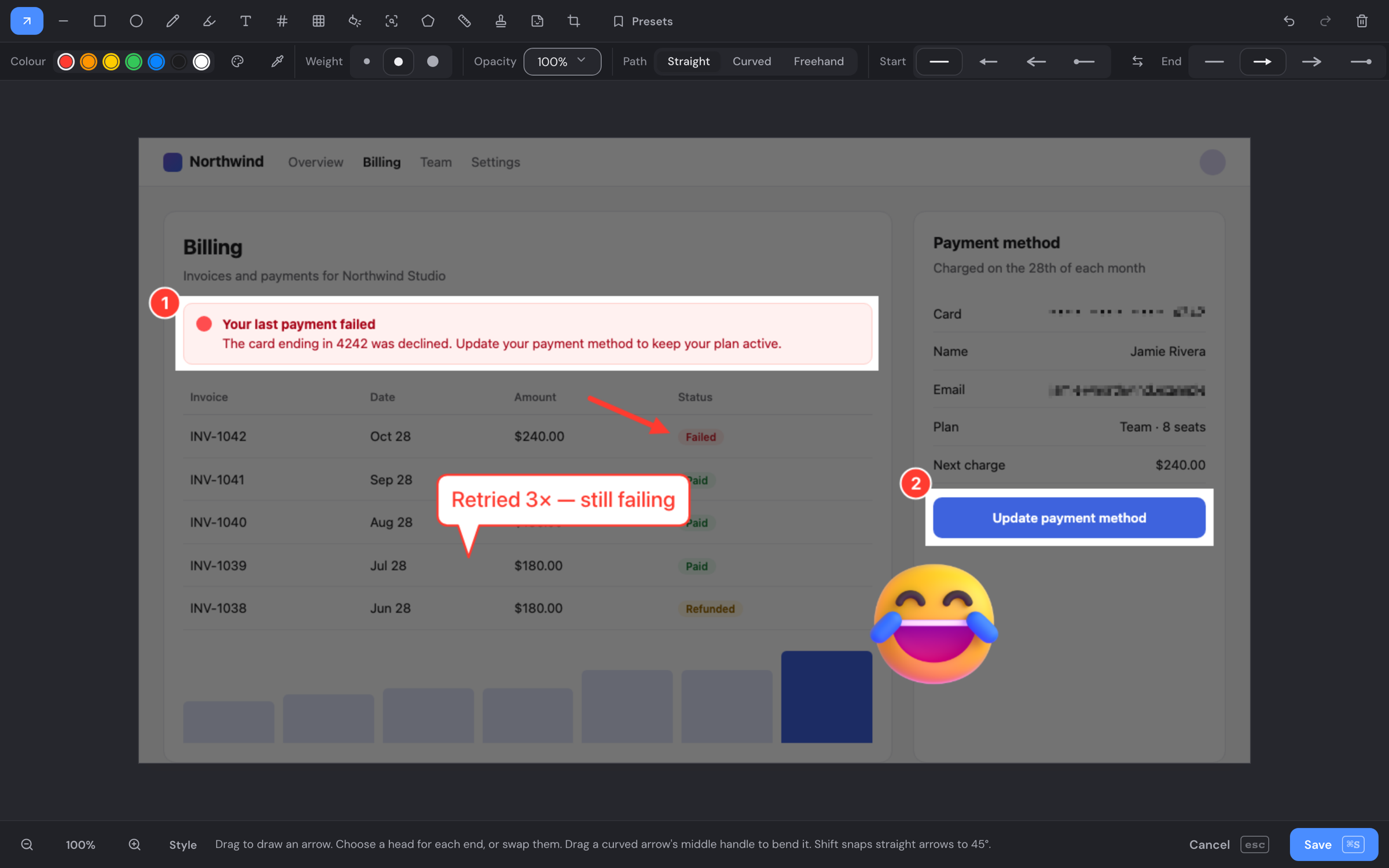
A billing page marked up with two spotlights, numbered steps, an arrow, a speech bubble, pixelated card details and a sticker
Spotlights, numbered steps, an arrow, a speech bubble, redacted card details and a sticker, on one screenshot.
  • SpotlightDrag out the areas that matter. They stay bright and everything else dims, with as many spotlights as you need.
  • Arrows, lines and shapesStraight, curved or freehand arrows, rounded rectangles, ellipses, triangles, hexagons and stars.
  • Text and speech bubblesLabels, callouts and speech bubbles with a tail you can drag to whatever you’re pointing at.
  • Numbered stepsClick to drop 1, 2, 3 for walkthroughs and bug reports, with notes on each step.
  • MagnifierA round loupe that enlarges the detail under it up to 4×, right on the screenshot.
  • RulerMeasure anything in pixels, including the run across and down on a diagonal.
  • Pen, highlighter and stampsFreehand notes, a highlighter for text, and one-click stamps like ✅, ❌ and ⚠️.
  • Any colour, any opacityPick any colour or sample one from the screenshot with the eyedropper. Your recent colours stick around.
  • Crop, rotate and flipTurn or mirror the whole image in one step. Your marks turn with it and labels stay upright.
  • SignaturesSave your signature once and sign documents and screenshots in a click.

Stickers, because sometimes an arrow isn’t enough

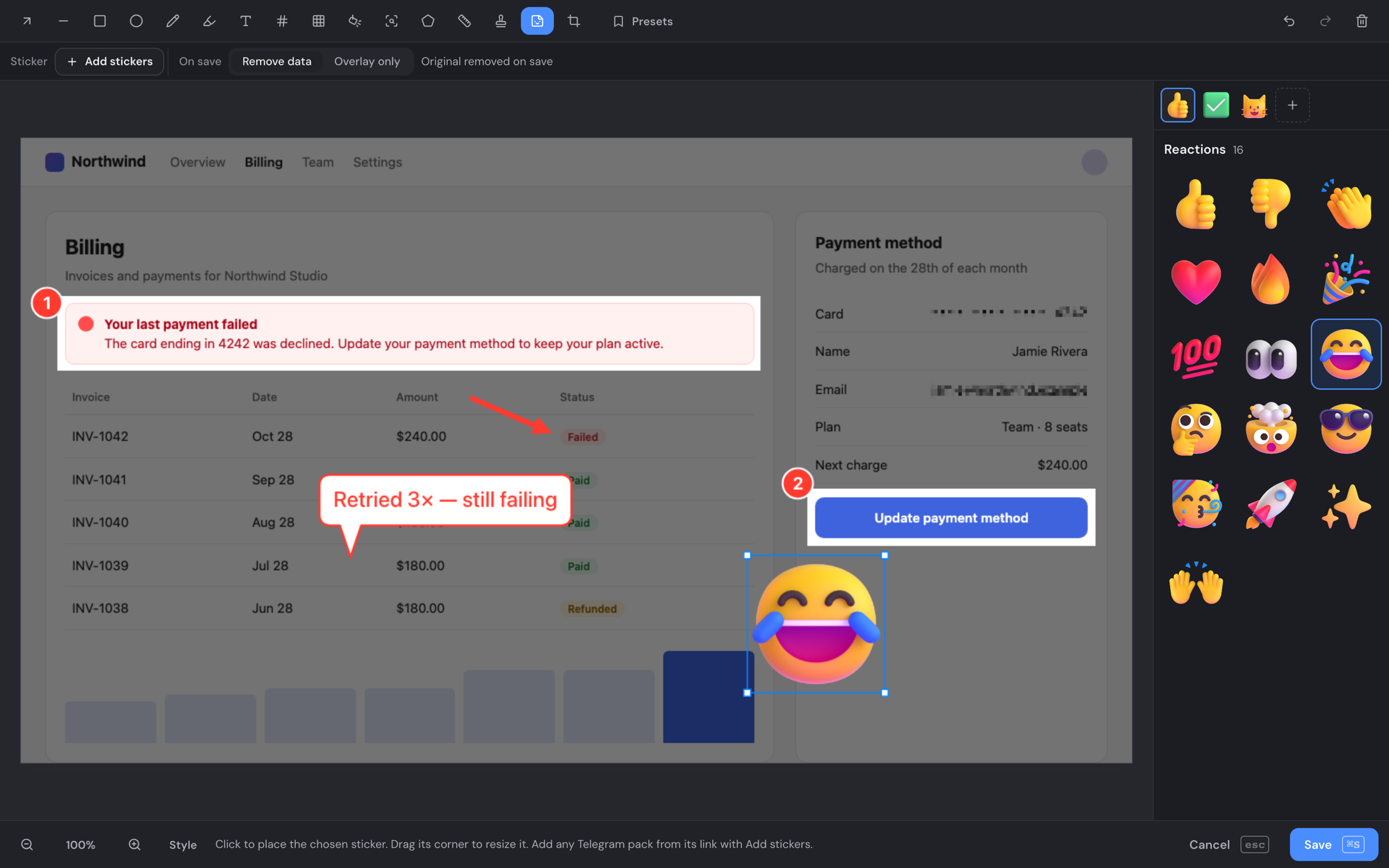
Open the sticker panel and drop one on with a click, then drag to move or resize it. Clipboards comes with packs of Fluent emoji, and you can import your favourite Telegram sticker packs, then rename and organise them like you would in Telegram.

The sticker panel open beside a screenshot, showing a grid of emoji stickers

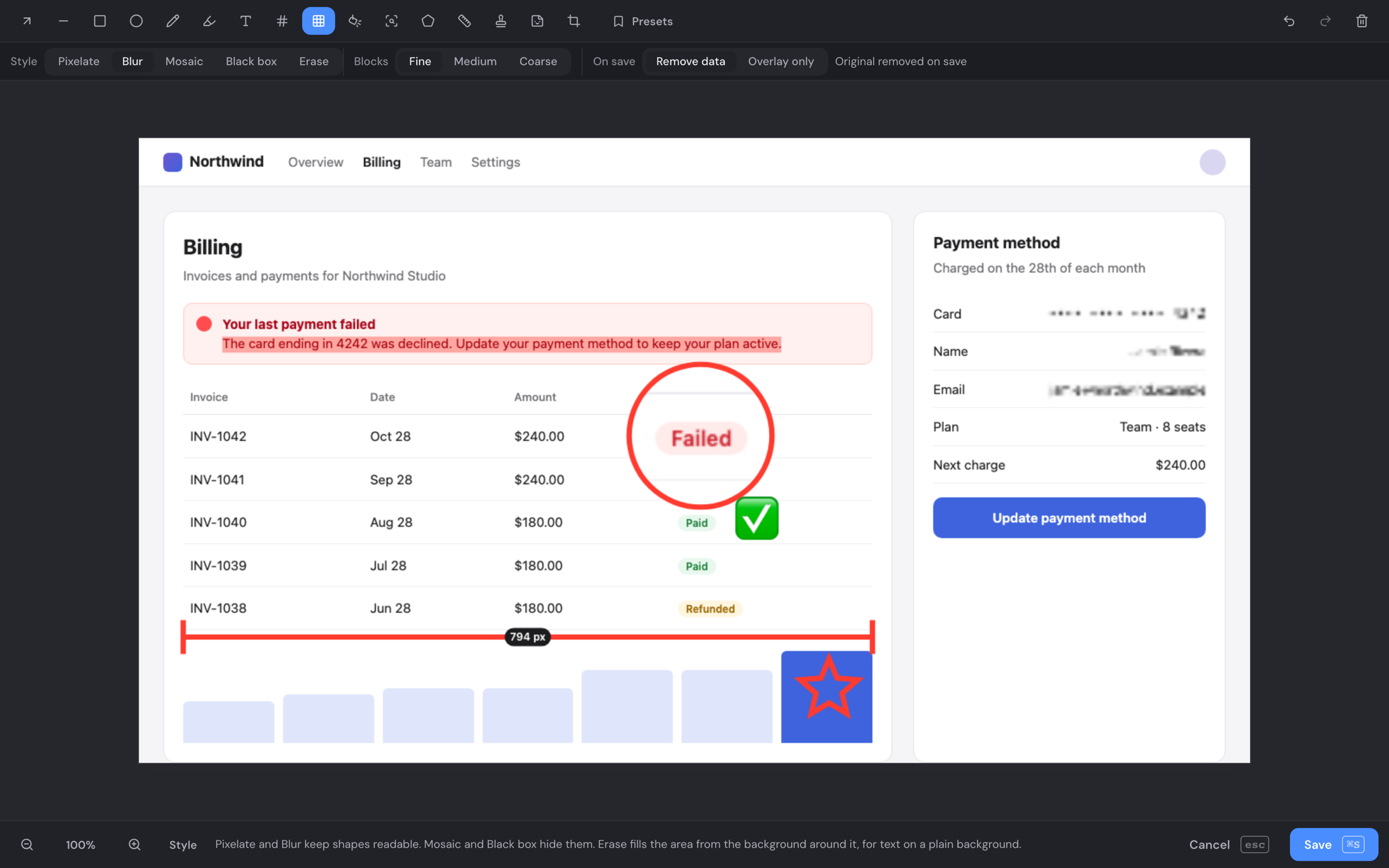
Hide what shouldn’t be shared

Pixelate, blur, mosaic or black out card numbers, emails and names, or smart-erase text on a plain background so it was never there. With Remove data on, the original pixels are gone from the saved image, not just covered up.

A screenshot with the card number erased, the name and email blurred, a magnifier on the failed status, a ruler and a star

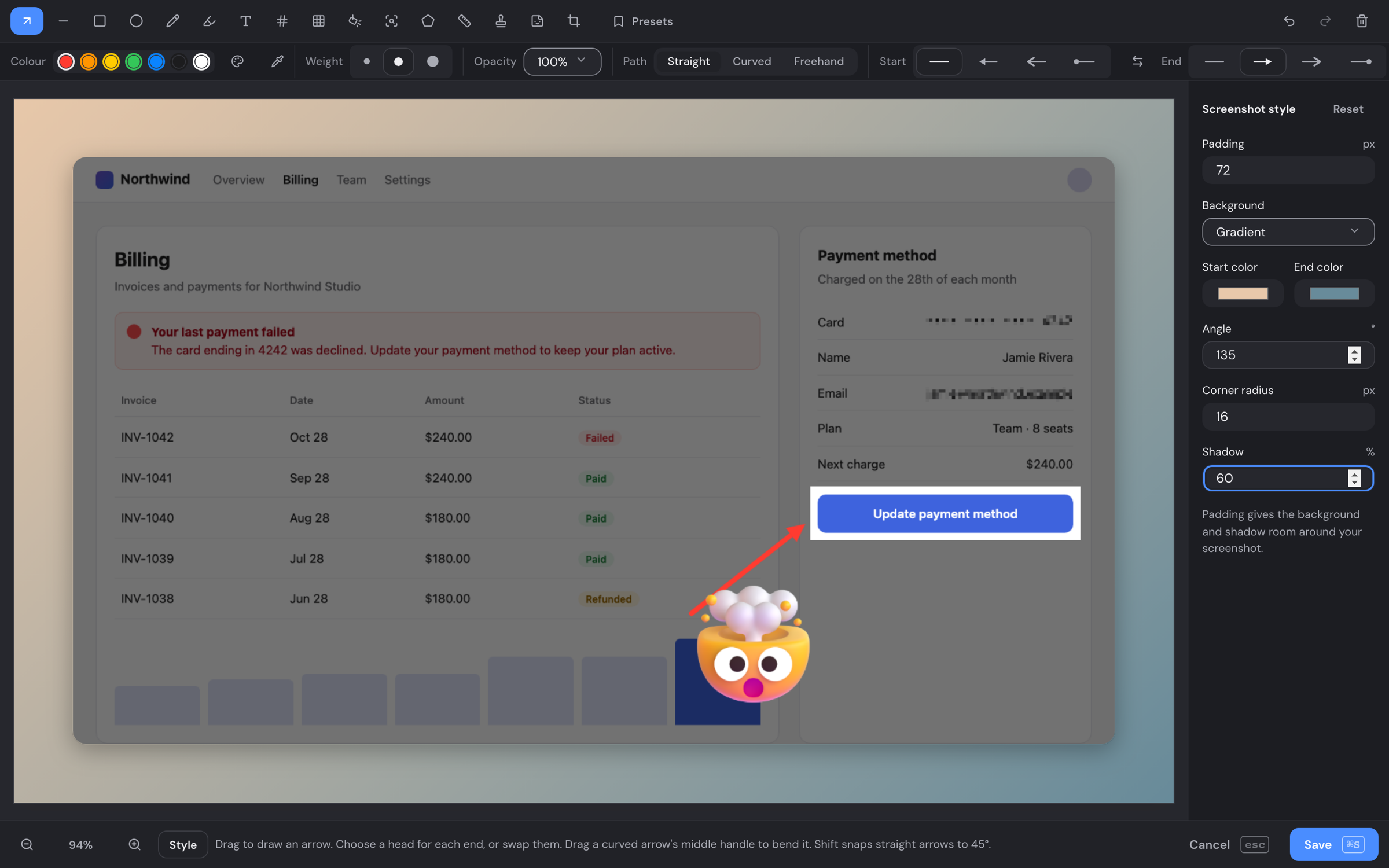
Ready to post, not just to paste

Add padding, a solid, gradient or image background, rounded corners and a soft shadow. Save the look as a preset and Clipboards can apply it to every new screenshot.

The screenshot style panel with padding, a gradient background, corner radius and shadow applied

Your clipboard, across devices.

Universal clipboard is coming soon to Windows, Linux, iOS and Android. Copy on your Mac, then paste on your phone or another computer.

  • macOSPrivate beta
  • WindowsComing soon
  • LinuxComing soon
  • iOSComing soon
  • AndroidComing soon
  • Password copies excluded by defaultCopies from password managers aren’t recorded.
  • Opt-in AI accessLet AI tools access Clipboards over MCP. Off until you turn it on.

Want in?

Lube Clipboards is in private beta on macOS. Tell me what you’d use it for and I’ll send you an invite.

Screenshots show the real app with demo data.